Smart Systems. Real Connections.
Fast Response • Personal Support
Serving the Mid-Ohio Valley
Calls • Texts • Scheduling • Reviews
Resources
Fast Response

Flexible Solutions

Personal Support

Affordable Pricing

Built for Small Business

Local + Remote Support
RESOURCE CENTER
Practical guides, strategies, and inspiration to help you improve customer communication, follow-up, marketing, websites, and the systems that power your success.
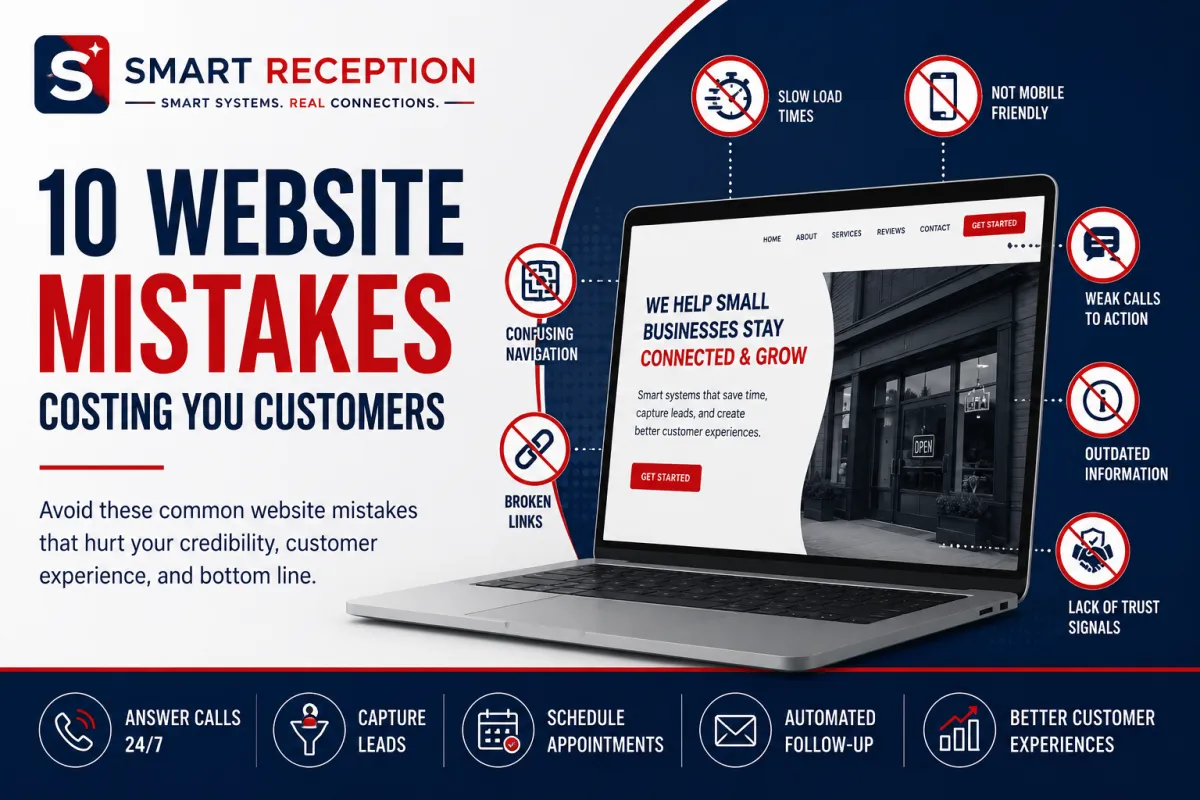
10 Website Mistakes Costing Small Businesses
Website Mistakes, Small Business Tips, Customer Experience, Website Credibility, Lead Generation, Mobile Design
10 Common Website Mistakes That Quietly Cost Small Businesses
Your website is often the first “conversation” a potential customer has with your business. If that experience is slow, confusing, or unprofessional, people rarely complain—they simply click away and call a competitor. For small businesses, avoiding common Website Mistakes is one of the simplest ways to protect Customer Experience, Website Credibility, Lead Generation, and sales. In this guide, Smart Reception breaks down 10 costly issues and how to fix each one in practical, manageable steps.
1. Slow Load Times: Losing Customers Before the Page Even Appears
People expect websites to load in a couple of seconds. When pages drag, visitors assume the business is outdated or unreliable. Slow load times hurt Customer Experience and directly damage Website Credibility. They also reduce Lead Generation because many visitors never stay long enough to see your offers or contact details. Search engines penalize slow sites too, which means fewer people find you in the first place—hurting long-term sales growth.
How to fix it:
Compress large images and avoid oversized background videos that slow pages down.
Remove unnecessary plugins, pop-ups, and scripts that add extra weight to your site.
Choose reliable hosting; ultra-cheap hosting often means painfully slow performance.
💡 Pro Tip: Use free tools like Google PageSpeed Insights to test your site and share the report with your web designer or marketing partner for quick wins.
2. Poor Mobile Design: Ignoring the Device Most Customers Use
For many local businesses, more than half of website traffic comes from smartphones. If your site is hard to use on a small screen—tiny text, buttons too close together, or horizontal scrolling—visitors get frustrated and leave. Poor Mobile Design damages Customer Experience and makes your business look behind the times, which erodes Website Credibility and trust. If people can’t easily call, text, or book from their phone, you’re losing leads and same-day sales opportunities.
How to fix it:
Use a responsive website design that automatically adjusts layouts for phones and tablets.
Make phone numbers and “Call Now” buttons tap-to-call, especially for service and medical offices.
Test key pages on your own phone: home page, services, contact, and booking form. If you struggle, so do your customers.
3. Confusing Navigation: Making Visitors Hunt for Basic Information
When people land on your site, they’re usually looking for a few simple things: what you do, where you’re located, when you’re open, and how to contact you. If your navigation menu is cluttered, poorly labeled, or hidden, visitors feel lost. Confusing navigation creates friction at every step of the journey, weakening Customer Experience and reducing the chances they’ll complete a form, call, or book—directly hurting Lead Generation and sales conversions.
How to fix it:
Keep the main menu simple: Home, About, Services, Reviews, Blog (optional), Contact or Book Now.
Use clear, non-technical labels. “Teeth Whitening” is clearer than “Aesthetic Dentistry Solutions.”
Add a prominent “Contact” or “Schedule” button in the header so it’s always visible.

Clear, simple navigation makes it easier for visitors to become paying customers.
4. Outdated Information: Sending the Message That You’re Not Paying Attention
Old business hours, wrong phone numbers, expired promotions, or a blog that hasn’t been updated in three years all signal neglect. Visitors start to wonder: Are they still open? Will anyone answer if I call? Outdated information undermines Website Credibility and can lead to frustrating experiences—like driving to a closed office. That frustration damages Customer Experience and reduces the likelihood of referrals or repeat business, ultimately hurting sales and reputation in your local market.
How to fix it:
Create a simple quarterly checklist to review hours, pricing notes, staff bios, and key service pages.
Remove old events or promotions, or clearly label them as past campaigns for transparency.
Update your homepage and contact page first; these are the most frequently visited and most critical for Lead Generation.
5. Weak Calls to Action: Not Clearly Asking for the Next Step
Many small business sites describe services but never clearly tell visitors what to do next. Buttons that say “Learn More” on every page, or tiny links buried in paragraphs, don’t guide people toward action. Weak calls to action (CTAs) mean fewer phone calls, fewer form submissions, and fewer online bookings—directly reducing Lead Generation and sales. A strong CTA also supports Customer Experience by making the path forward obvious and stress-free.
How to fix it:
Use clear, action-focused buttons: “Call Now,” “Schedule Your Free Consultation,” or “Request a Quote Today.”
Place a primary CTA above the fold on every key page and repeat it near the bottom after explaining your value.
Match your CTAs to your sales process. If you close most deals on the phone, prioritize “Call Now” and “Schedule a Call.”
💡 Smart Reception Insight: When CTAs are clear and easy to click, tools like Smart Reception’s AI virtual receptionist and missed-call text back can capture and nurture more of those incoming leads automatically.
6. Missing Contact Information: Making It Hard to Reach a Real Person
It sounds obvious, but many websites hide or scatter their contact details. If visitors can’t quickly find a phone number, email, address, or contact form, they’re likely to give up. Missing or buried contact information sends the message that you’re not eager to talk, weakening Website Credibility and trust. It also severely limits Lead Generation because even interested prospects may never make that first call or message—especially on mobile where patience is limited.
How to fix it:
Place your phone number and a “Contact” or “Book Now” button in the header of every page.
Create a dedicated Contact page with phone, email, address, map, hours, and a simple form in one place.
For home services, medical offices, and law firms, make it clear how quickly you respond (for example, “We respond to all inquiries within one business day”).
7. Unprofessional Design: Looking Less Trustworthy Than Your Competitors
Design is more than colors and fonts—it’s the first impression of your brand. Clashing colors, outdated fonts, blurry photos, or inconsistent spacing make your website feel amateur. Visitors may question your attention to detail and professionalism, especially in fields like medical, legal, or financial services. An unprofessional design weakens Website Credibility, making it harder to justify premium pricing and closing high-value sales, even if your actual service is excellent.
How to fix it:
Use a clean, modern template with plenty of white space and a limited color palette that matches your brand.
Replace low-quality images with professional photos of your team, office, and work, or high-quality stock images that feel authentic.
Ensure consistency: same logo placement, button styles, and fonts across every page to reinforce trust and recognition.
8. Broken Links: Dead Ends That Frustrate Visitors and Search Engines
Clicking a link that leads to a 404 error or an irrelevant page is like calling a number that’s been disconnected. Too many broken links make your website feel abandoned and untrustworthy, hurting Website Credibility and Customer Experience. Visitors may give up before reaching key information or your contact page, which reduces Lead Generation. Search engines also view broken links as a sign of poor maintenance, which can negatively affect your rankings and organic traffic over time.
How to fix it:
Use a free broken link checker tool a few times a year to scan your site for issues.
Update or remove outdated links, especially in blog posts and older service pages that you still promote.
Create a helpful 404 page that apologizes, offers a search bar, and links back to key pages so visitors don’t hit a dead end.
9. Lack of Trust Signals: Expecting Strangers to Take a Leap of Faith
Even if your site looks good, visitors still ask themselves, “Can I trust this business?” Without trust signals—reviews, testimonials, case studies, security badges, professional memberships, or before-and-after photos—people hesitate to book appointments or share their contact details. This lack of proof hurts Website Credibility, slows down decision-making, and lowers conversion rates. In competitive industries, strong trust signals can be the difference between a new customer and a lost opportunity.
How to fix it:
Showcase Google, Yelp, or industry-specific reviews, especially those mentioning responsiveness, professionalism, and results.
Add logos for associations, certifications, and insurance where appropriate (for example, state bar associations for law firms or medical boards for clinics).
Use a review management system—like the one Smart Reception offers—to consistently collect and highlight fresh, high-quality feedback.
10. Difficult Contact Forms: Turning Interested Visitors Into Abandoned Leads
Contact forms are powerful Lead Generation tools, but only if people actually complete them. Long, complicated forms asking for unnecessary details feel intrusive and time-consuming. Technical issues—like fields that don’t submit or confusing error messages—frustrate visitors and cause them to quit. Difficult forms create a poor Customer Experience at the exact moment someone is trying to reach you, which directly reduces leads and potential sales opportunities for your business.
How to fix it:
Ask only for essential information: name, preferred contact method, and a brief message or service selection. You can gather more details later.
Make sure forms work smoothly on mobile devices and test them regularly from your own phone and computer.
Add a clear confirmation message and follow-up process. With Smart Reception, you can automatically trigger text or email follow-ups as soon as a form is submitted.
How These Website Mistakes Add Up—and What They Cost Your Business
Any one of these Website Mistakes can cause friction. Together, they create a silent leak in your marketing funnel. Slow pages, poor Mobile Design, and confusing navigation push people away before they understand your value. Outdated information, unprofessional design, broken links, and a lack of trust signals undermine Website Credibility. Weak calls to action, missing contact details, and difficult forms choke off Lead Generation and reduce the number of qualified conversations your team has each week. Over months and years, that means fewer booked appointments, fewer loyal customers, and slower revenue growth than your business deserves.
A Practical Action Plan for Small Business Owners and Agencies
You don’t need a full redesign to start seeing improvements. Use this simple plan to protect Customer Experience, build Website Credibility, and capture more leads from the traffic you already have:
Audit your site as a customer. On your phone and laptop, pretend you are a new visitor. How quickly can you find what you do, where you are, and how to contact you? Where do you hesitate or feel confused?
Fix the “fast wins” first. Update outdated information, surface your contact details, simplify navigation, and strengthen your calls to action. These changes often deliver immediate improvements in inquiries and bookings.
Address performance and mobile issues. Work with your web partner or agency to improve page speed, image optimization, and responsive design so your site feels fast and modern on every device.
Layer in trust and automation. Add reviews, testimonials, and proof while connecting your forms and calls to automation tools like Smart Reception’s AI virtual receptionist, CRM integrations, and missed-call text back. This ensures every new lead is acknowledged quickly and professionally.
📌 Key Takeaway: You’ve already invested time and money bringing people to your website. Fixing these 10 issues makes sure more of those visits turn into real conversations, appointments, and sales.
How Smart Reception Helps Turn Website Visitors Into Customers
A great website is only the first step. Once a visitor decides to call, text, or submit a form, your response time and follow-up process determine whether that lead becomes a paying customer. This is where Smart Reception supports small businesses, agencies, contractors, medical offices, law firms, auto repair shops, salons, and other local businesses that can’t afford to miss opportunities.
Smart Reception provides AI-powered virtual receptionist services, appointment scheduling, CRM integration, missed-call text back, review management, and automated SMS and email follow-ups. When your website forms, phone numbers, and chat options connect to a reliable automation system, every new inquiry receives a prompt, professional response—even after hours or when your front desk is busy. This combination of a clean, conversion-focused website and smart automation dramatically improves Customer Experience, protects your brand’s credibility, and maximizes Lead Generation from every marketing channel you use.
Final Thoughts: Don’t Let Simple Website Mistakes Steal Your Growth
None of the mistakes in this article require advanced coding knowledge to understand. They are simple, practical Small Business Tips that any owner or agency partner can act on: speed up slow load times, improve Mobile Design, simplify navigation, keep information current, strengthen calls to action, highlight contact options, polish design, fix broken links, showcase trust signals, and streamline contact forms. Each improvement reduces friction, builds Website Credibility, and makes it easier for potential customers to say “yes” to your business instead of the one down the street.
If you’re ready to turn your website into a reliable, always-on sales assistant—and ensure every call, form, and message receives a fast, professional response—Smart Reception is here to help. We believe every customer deserves prompt, friendly communication and that small businesses deserve tools that are simple, affordable, and effective.
Schedule a free consultation today to discover how Smart Reception can help your business fix hidden Website Mistakes, answer more calls, capture more leads, automate customer communication, and grow with confidence.

Ready to work smarter?
We've got your business connected.

Empowering businesses with innovative solutions, we are committed to providing seamless support and fostering growth. Connect with us for a brighter, smarter future!
CONTACT
(304) 396-6903
Vienna, West VirginiaServing the Mid-Ohio Valley & remotely
© Copyrights 2026 | Smart Reception | All rights reserved.